Real-time power for your telescope
A mini PC next to the mount and your phone in your hand. Point by voice, centre with plate solving, stack live and process the picture without touching the computer. Like a smart telescope, but with your own gear.

Your telescope, in the palm of your hand
ScopePower turns a small Windows PC into the brain of your telescope. It talks to the mount and the camera and shows you everything in a web page you open on your phone or tablet.
Mount and camera
Sky-Watcher SynScan via ASCOM or direct UDP. Player One, ZWO, QHY, ToupTek-family cameras or a webcam.
Mini PC by the tripod
Captures, aligns, stacks and processes. It reads out its address over the speaker and can even run its own Wi-Fi in the field.
Phone or tablet
Just open the browser: GoTo, focusing, stacking and gallery. Several people can watch at once.
Everything an astrophotography night needs
From choosing what to observe to processing the final picture, in one app and with no Internet connection.
Voice GoTo
Say “go to M31” and the mount slews. On arrival, ASTAP solves the frame, centres the target by itself and the PC describes it, with no Internet needed.
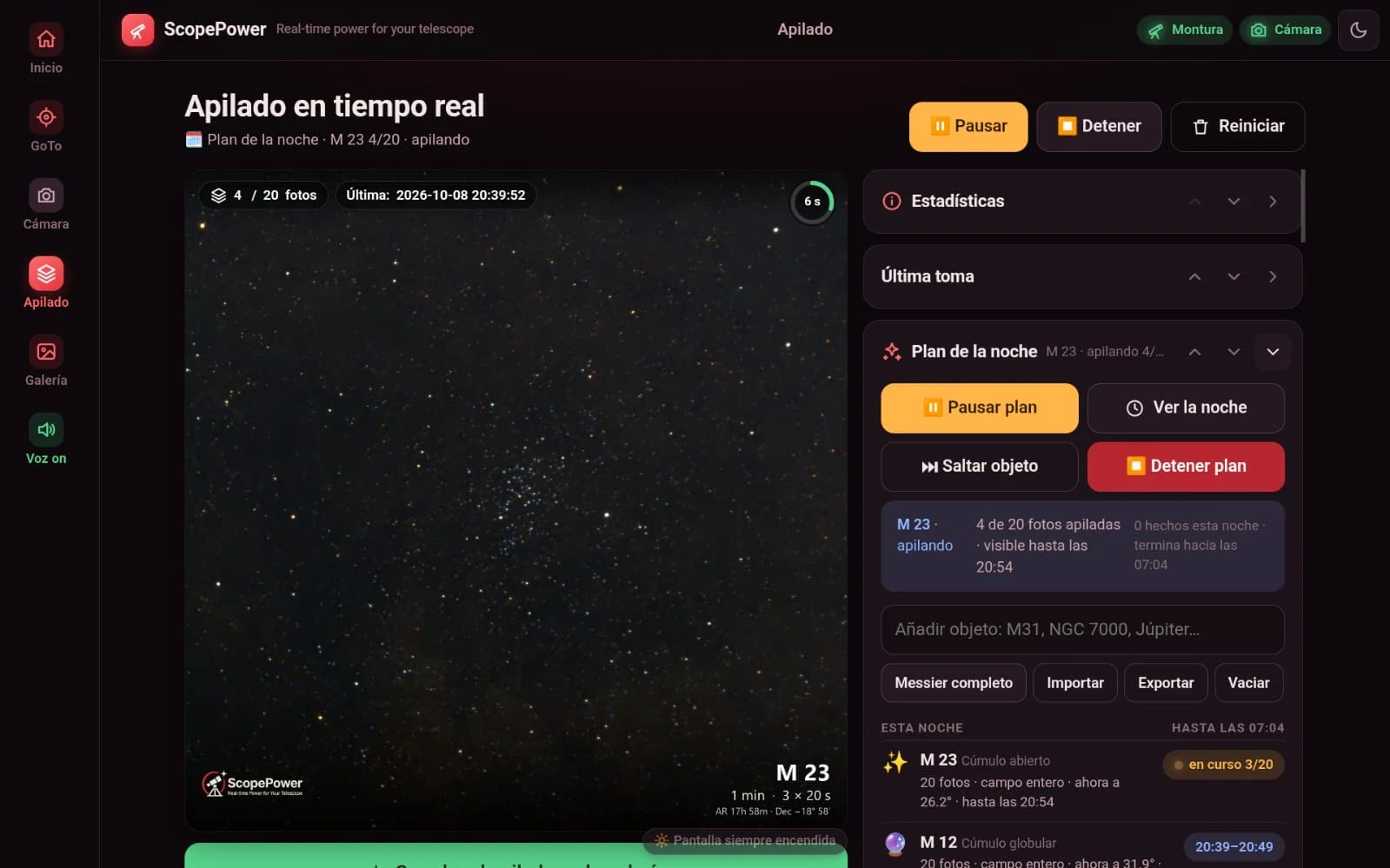
Live stacking
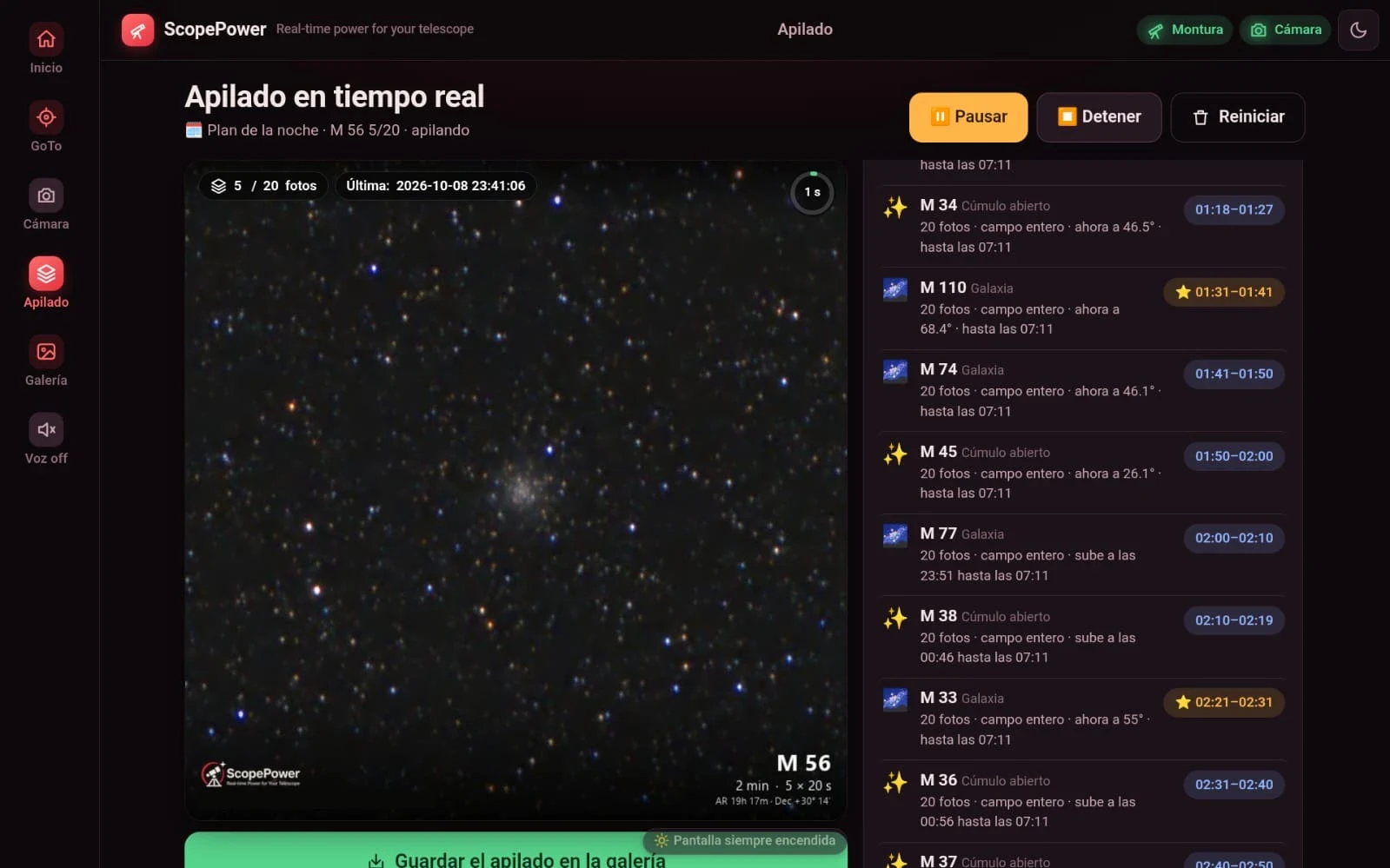
Each frame is aligned and added as you capture, rejecting bad ones and plane and satellite trails.
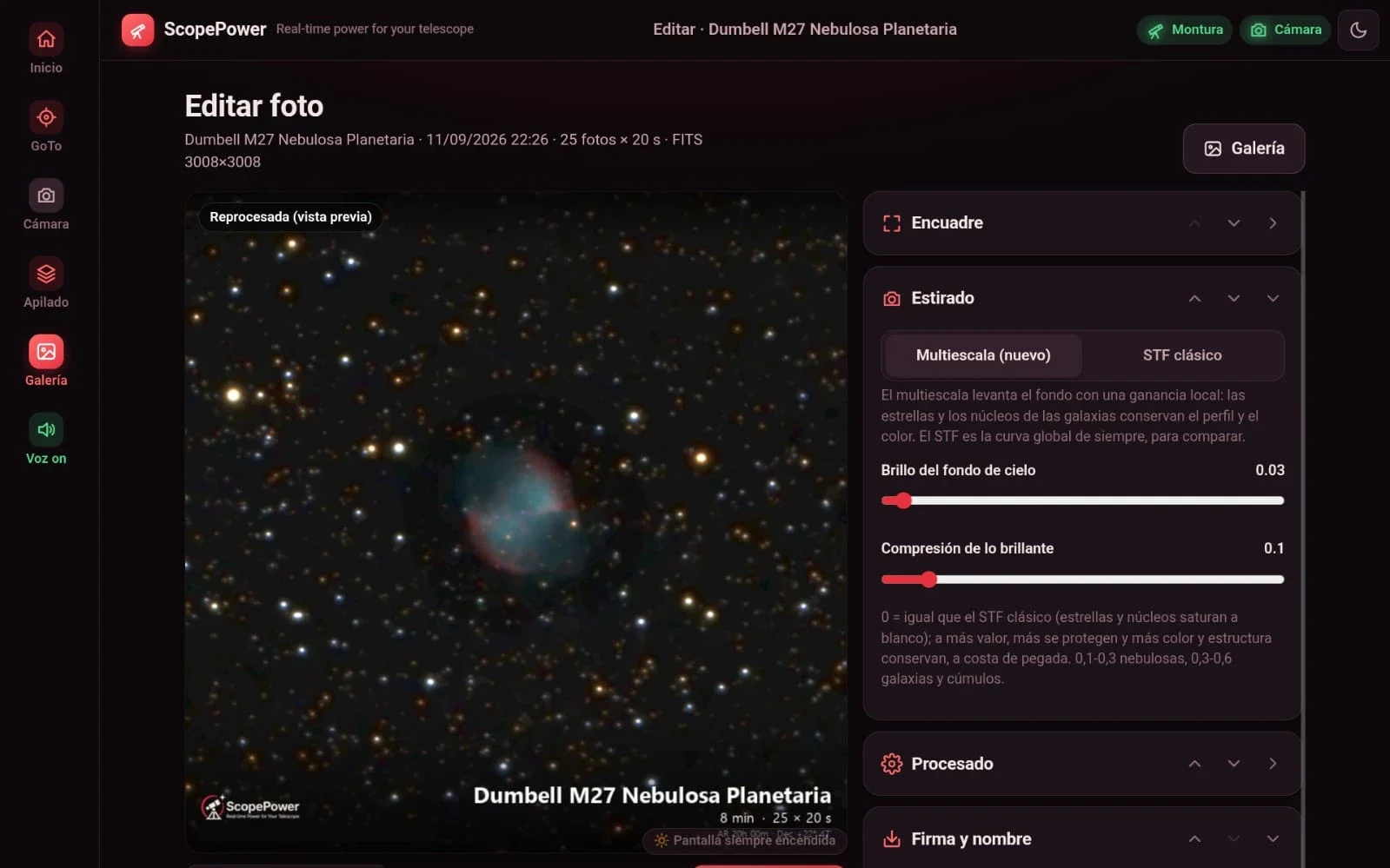
Photo editor
Stretching, star-based colour calibration, curves, deconvolution and NGC/IC annotations, with instant tweaks on the phone. Each stack gets a score so you can keep the best.
Offline planetarium
Tonight’s sky with the telescope, your camera’s framing, a landscape and compass, and your own photos drawn in place. Tap an object and go to it.
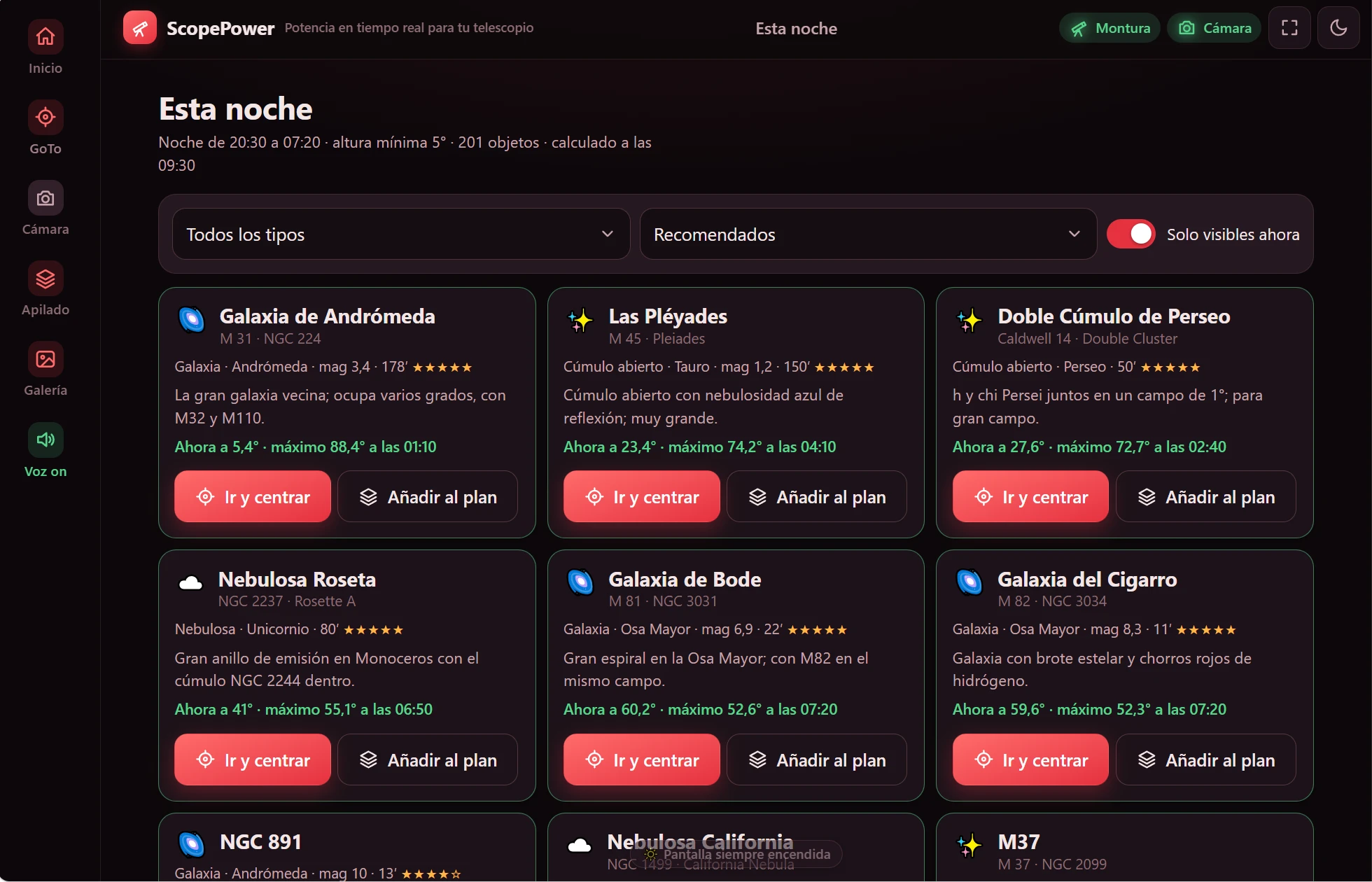
Night plan
“Tonight” suggests what to see, and the plan chains targets on its own, on a schedule, while you rest.
Camera and focus
Test shot, live view, video, focus aids and a library of darks and flats by exposure and gain.
Special modes
Comet-nucleus stacking, object tracking with video, Sun and Moon, and timelapse.
Voice alerts
The PC tells you out loud what is going on, so you need not watch the screen. A switch leaves only what matters during stacking.
Stars apart
With StarNet2 (optional, installed separately), it separates object and stars and processes each on its own. Shrink the stars without dimming them, instantly on the phone.
Mosaics
Before you start, see each tile with its time and camera rotation, the real overlap and the outline of the final picture. One button applies the recommended overlap.
Polar alignment
For equatorial mounts: three photos measure how far the polar axis is off and the app guides you screw by screw, with arrows and by voice.
Not tested on a real mountPublic gallery
Publish the photos you choose at your own address, with nothing to install, and show them with the mini PC switched off.
Video, names and measurements for the Moon and the Sun
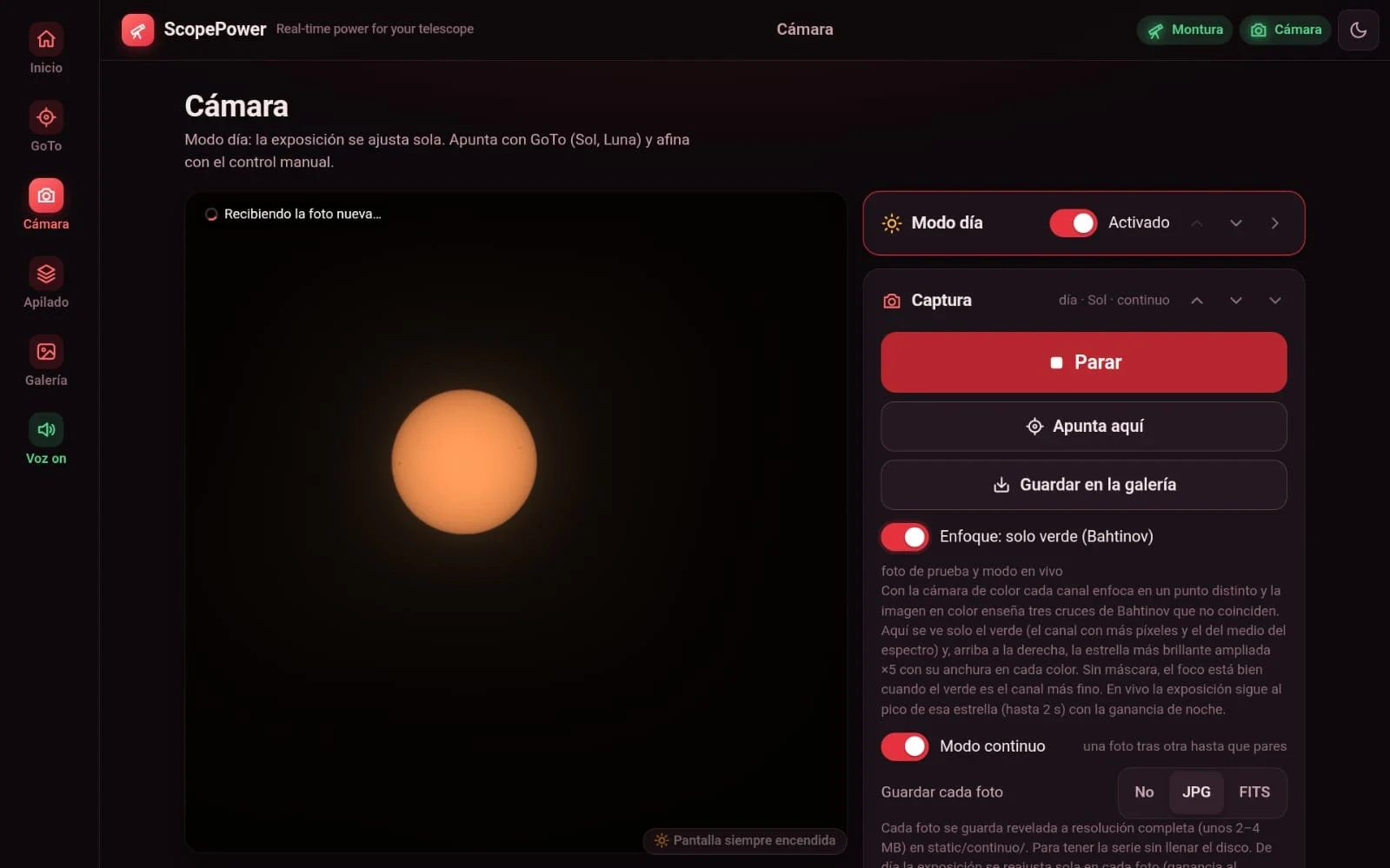
Record, stack the best frames and process from the tablet, with no Internet. For the Sun, always with a solar filter in front of the tube.
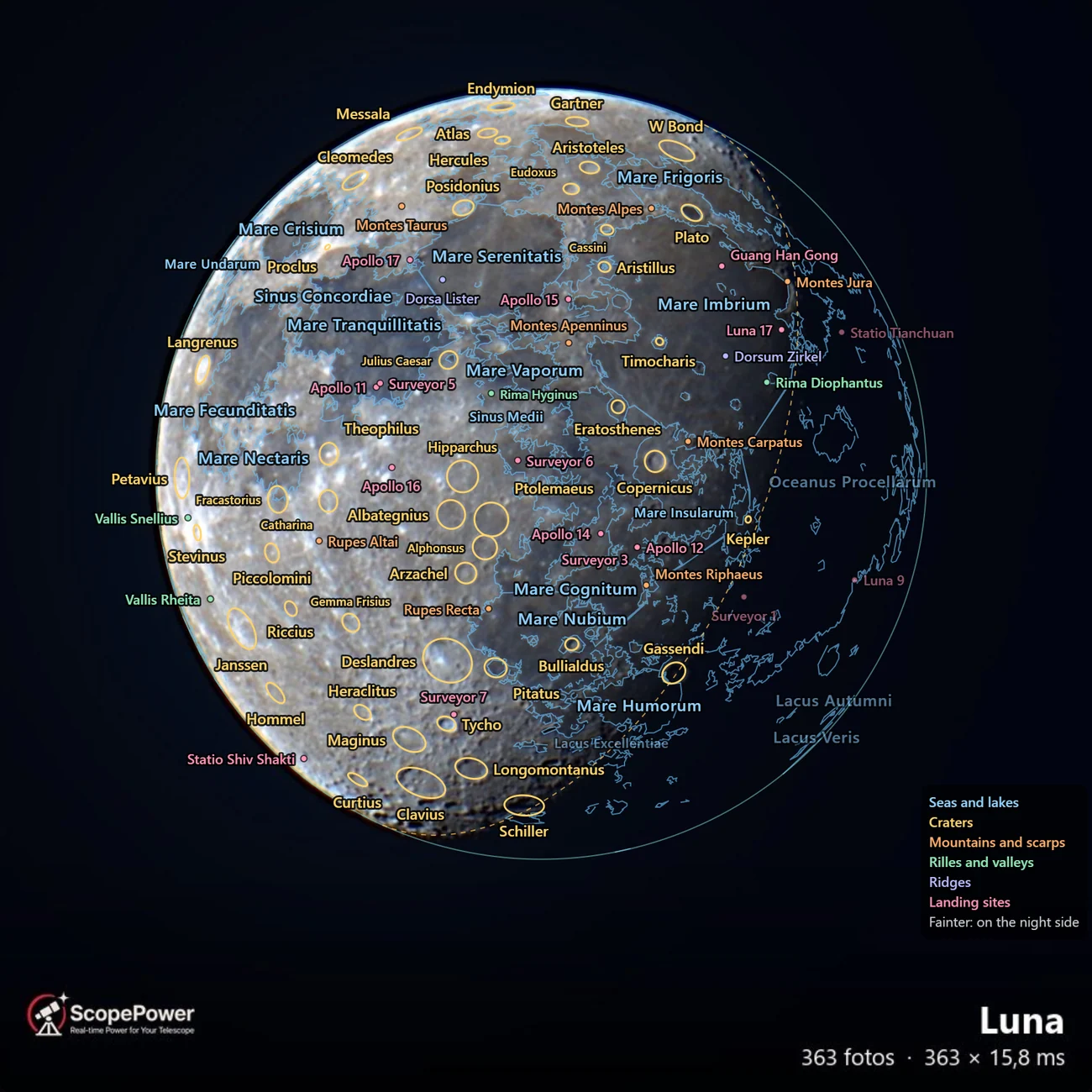
The Moon, name by name
Switch on “Annotations” and your picture fills with names: seas, craters, mountains, rilles, ridges and landing sites, with the outlines of the seas, the limb and the terminator. Libration and illumination are worked out from the date and place of the photo, with no Internet or plate solving.
- Live in the Camera screen too, over what you are looking at.
- Apollo, Luna and Surveyor, right where they landed.
Video and best frames
Record from the tablet. ScopePower measures the sharpness of each frame, keeps the best, aligns, stacks and sharpens them, correcting the field rotation of an alt-az mount.
Daytime processing
Five controls: exposure, contrast, detail, sharpness and colour. Raise the colour and the Moon’s blue seas and ochre highlands appear. If the video is still on the mini PC, you can stack it again with more or fewer frames.
Video viewer
Step through each video frame by frame, even on the slow Wi-Fi in the field. It marks when something crosses in front (birds, planes, clouds), and any frame can be saved as a photo.
The Sun, measured in your photos
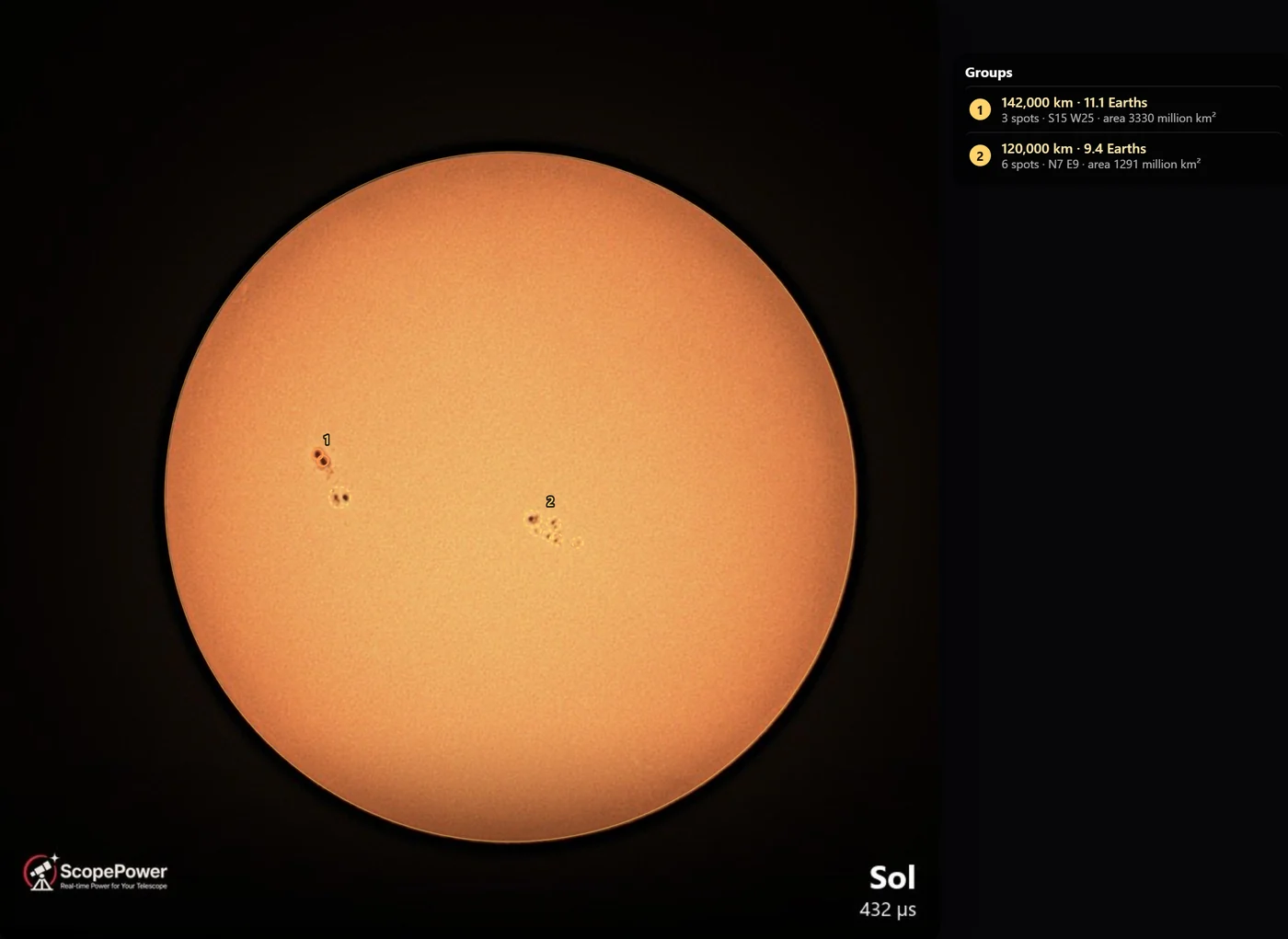
It counts sunspots and groups and gives an estimate of the Wolf number, which you correct by tapping the picture. Each group comes with its size in kilometres and in Earths, and the chart keeps one point per day.
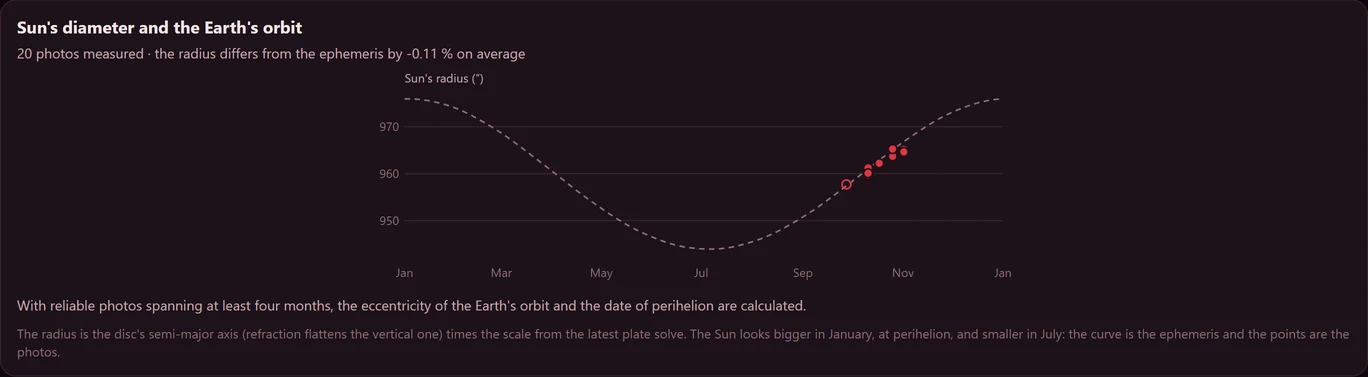
The “Limb and diameter” button also measures the distance to the Earth and, with photos spanning at least four months, fits its orbit.
Focusing stops being an act of faith
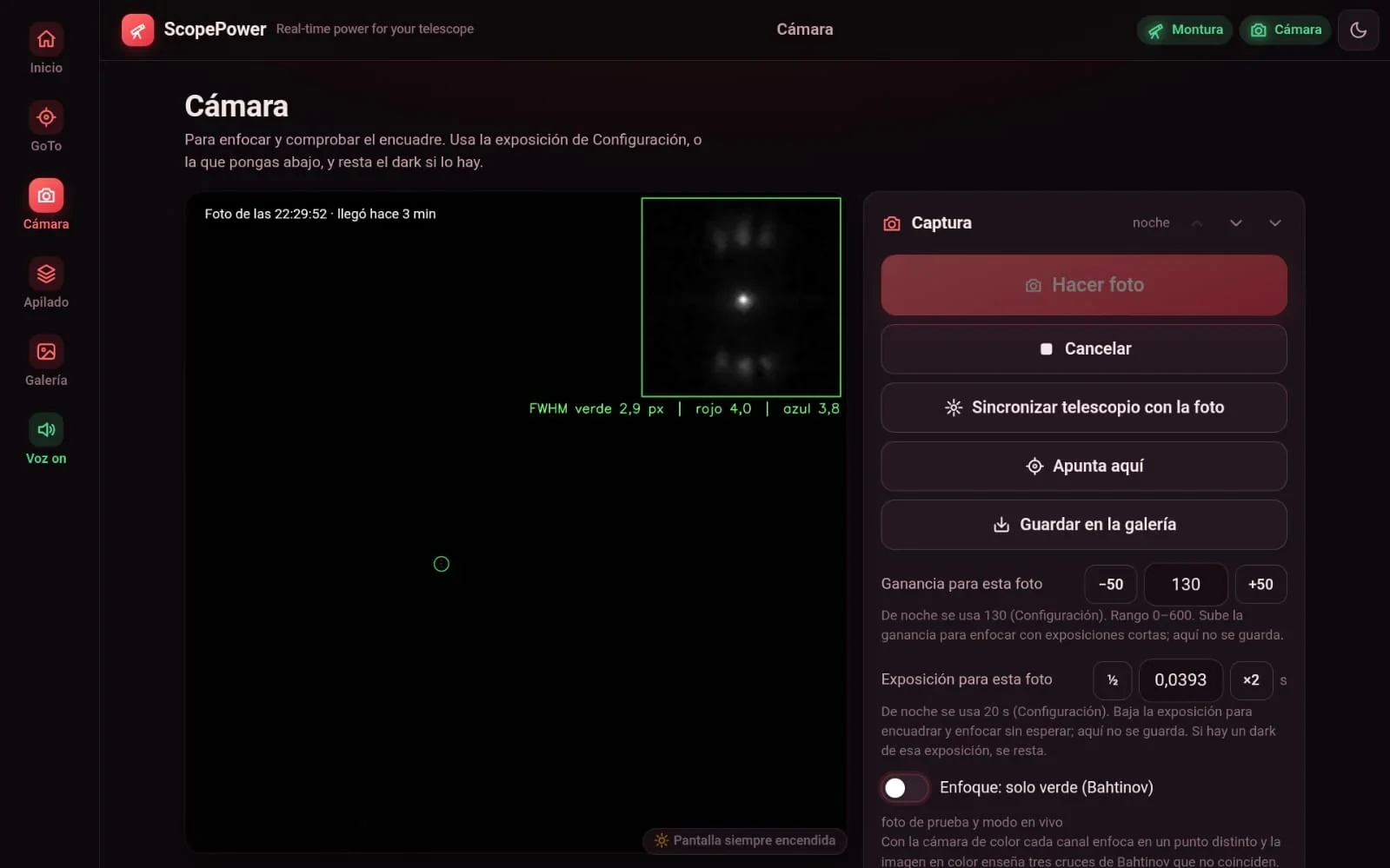
With a mask, without one, by night and by day: ScopePower measures focus and tells you out loud as you turn the focuser.
Bahtinov with a virtual crosshair
It draws the X and, dashed, where the central spike should pass. It tells you how many pixels it is off, with a bar to show which side. Once centred, the dashes turn green and the PC says “Bahtinov centered”.
Focusing on the Sun and the Moon
It measures the width of the limb, where a Bahtinov mask is no use. The PC says “better”, “worse” or “same”, and if you overshoot, tells you to go back. A chart follows the last minute.
Focusing without a mask
When you take the mask off, it learns how much wider than green the stars are in red and blue at good focus. Next time it says “In focus” when they return to that ratio.
In testingLive view at night
With focus mode on, live view also works at night, with up to 2 s per frame, so you can watch the star as you turn.
In testing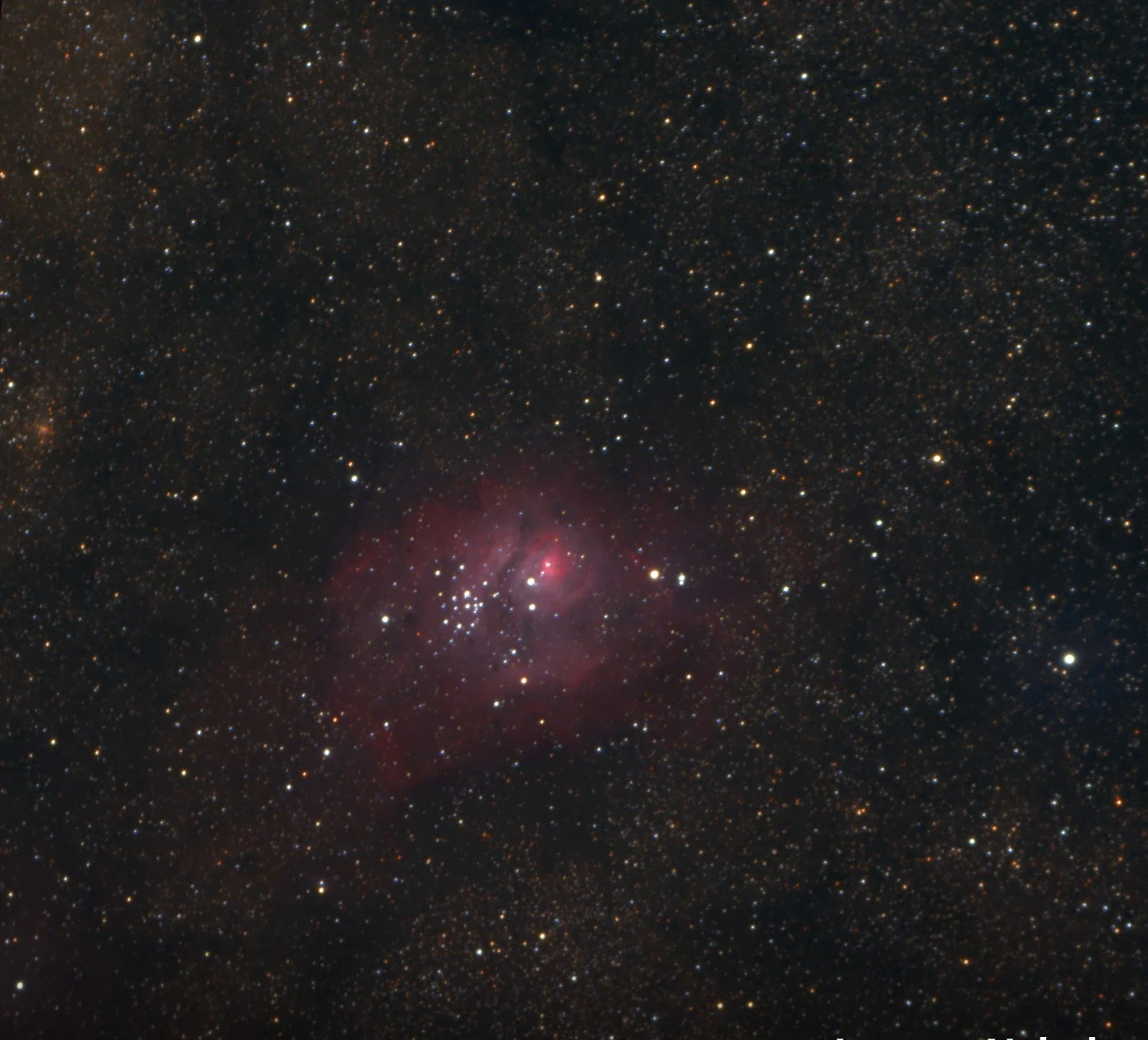
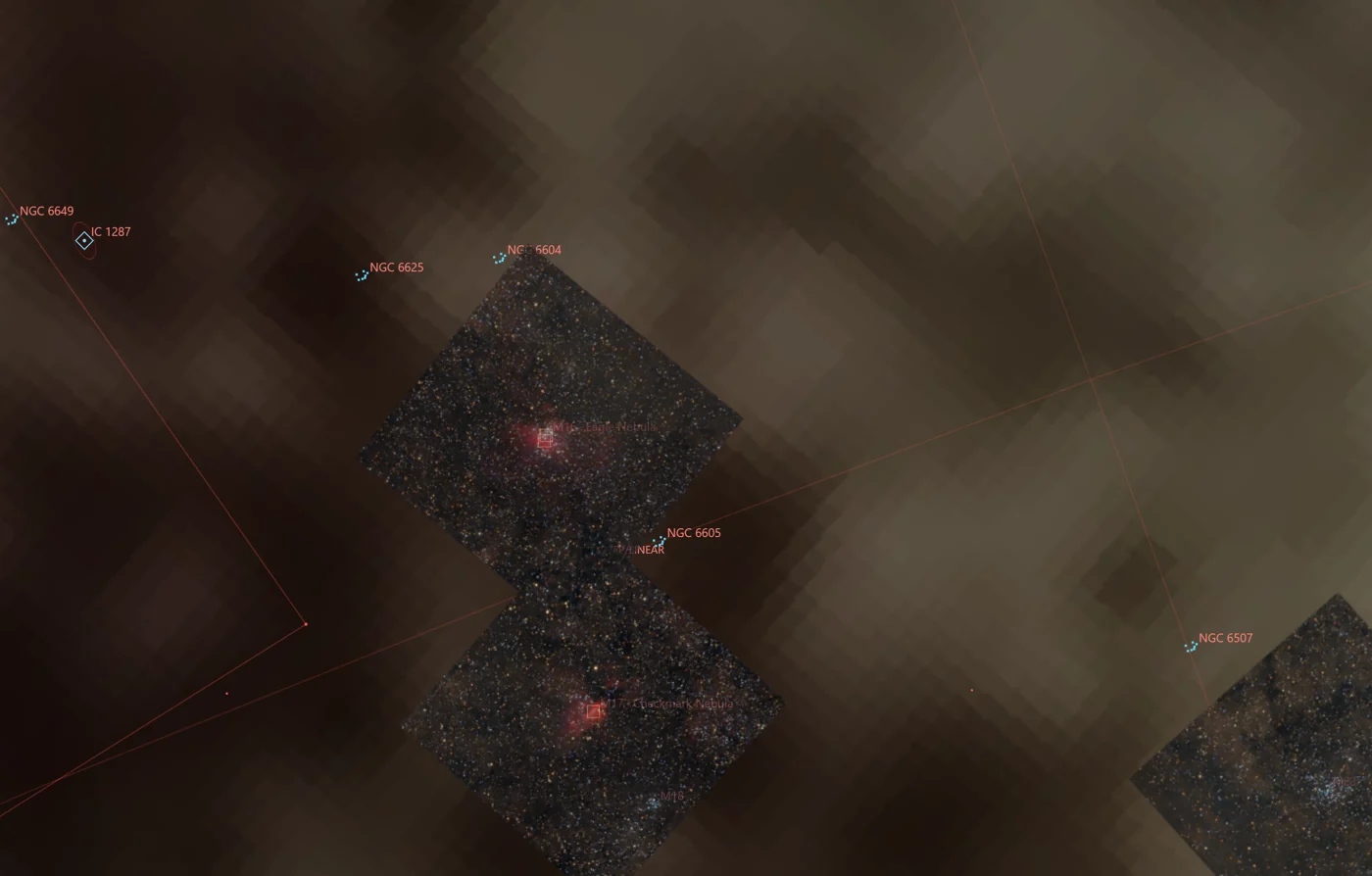
The Lagoon Nebula, stacked in the field
No post-processing on a home computer: straight out of the ScopePower editor, with a small refractor on an alt-az mount.
- Sky-Watcher AZ GoTo mount with SynScan Wi-Fi
- Evoguide 50 refractor and Player One Saturn-C camera
- Fanless mini PC running on 12 V
Show your photos with the mini PC switched off
Mark a photo with the globe and it is published, downsized, at your own address on scopepower.es. Just switch it on and choose a free name, with nothing to install. It can be seen from any phone.
- With the annotations, the data for each photo and the Sun charts.
- A planetarium with your photos drawn at their real place in the sky.
- No FITS, no videos, no exact position of your observatory.
- You can also use your own hosting.
Designed for use at night
A red theme that protects your night vision (tap the moon at the top to see the blue one), big buttons for cold fingers and everything two taps away.
With the gear you already own
Field-tested with a Sky-Watcher mount and a Player One camera. The rest is ready and waiting for someone to try it: if you own one, tell us on GitHub.
Mounts
- Sky-Watcher SynScan via ASCOM Tested
- SynScan Wi-Fi via direct UDP Tested
- Equatorial, with polar alignment Untested
- Others with an ASCOM driver Untested
Cameras
- Player One (ASCOM and SDK) Tested
- ZWO ASI Ready
- QHYCCD Ready
- ToupTek, Altair, SVBony… Ready
- Webcam Tested
Requirements
- Windows 10 or 11
- ASCOM Platform 7 and drivers
- ASTAP for plate solving
- Phone or tablet on the same Wi-Fi
- Optional: StarNet2, for stars apart
Up and running in three steps
The installer sets up Python, ASTAP and everything else. A wizard guides you the first time.
Download
Get ScopePower from GitHub (green “Code” button → “Download ZIP”) on the PC that will sit by the telescope.
Install
Run instalar_scopepower.bat. It sets up Python, opens the firewall port, installs ASTAP and creates the shortcut.
Connect
Start ScopePower, follow the wizard (focal length, mount, camera, location) and open the address the PC reads out on your phone.
No telescope at hand? Try it anyway
ASCOM ships a simulated mount and camera. With these lines in config.ini you can explore the whole app, GoTo and stack synthetic frames from the sofa.
[Dispositivos]
driver_telescopio = ASCOM.Simulator.Telescope
driver_camara = ASCOM.Simulator.Camera
exposicion_captura = 1
Made by an amateur, for amateurs
ScopePower is free and open forever, under the GPL-3.0 licence. No accounts and no activation. Your pictures stay on your own gear, except the ones you choose to publish. Ideas, bug reports and improvements are welcome.